

Hemant Bhatt
Hermes Agent Explained: What Happens When AI Gets a Computer?

Imagine giving an AI model its own desk.
There is a terminal on it, a browser, a filing cabinet, a procedure notebook, and a calendar. Instead of merely suggesting what you could do, the AI works autonomously. It can inspect something, act, examine the result, and continue.
That desk is the useful mental model for Hermes Agent.
Hermes turns a chatbot into something closer to a persistent AI worker. An LLM model supplies the intelligence; Hermes supplies the environment in which it can act.
That creates the progression: Chatbot → Agent → Persistent AI worker.
What Is Hermes Agent?
A normal language model accepts context and produces text. Useful, certainly, but its natural habitat is still the conversation box or the browser's UI like chatgpt.com or gemini.google.com.
Hermes Agent is an open-source AI agent built by Nous Research.
It is not the LLM model, but rather the working environment for an LLM model.
It connects the models to tools, persistent memory, project instructions, reusable skills, automation, and external services. The official feature overview describes these capabilities as a system extending beyond basic chat.
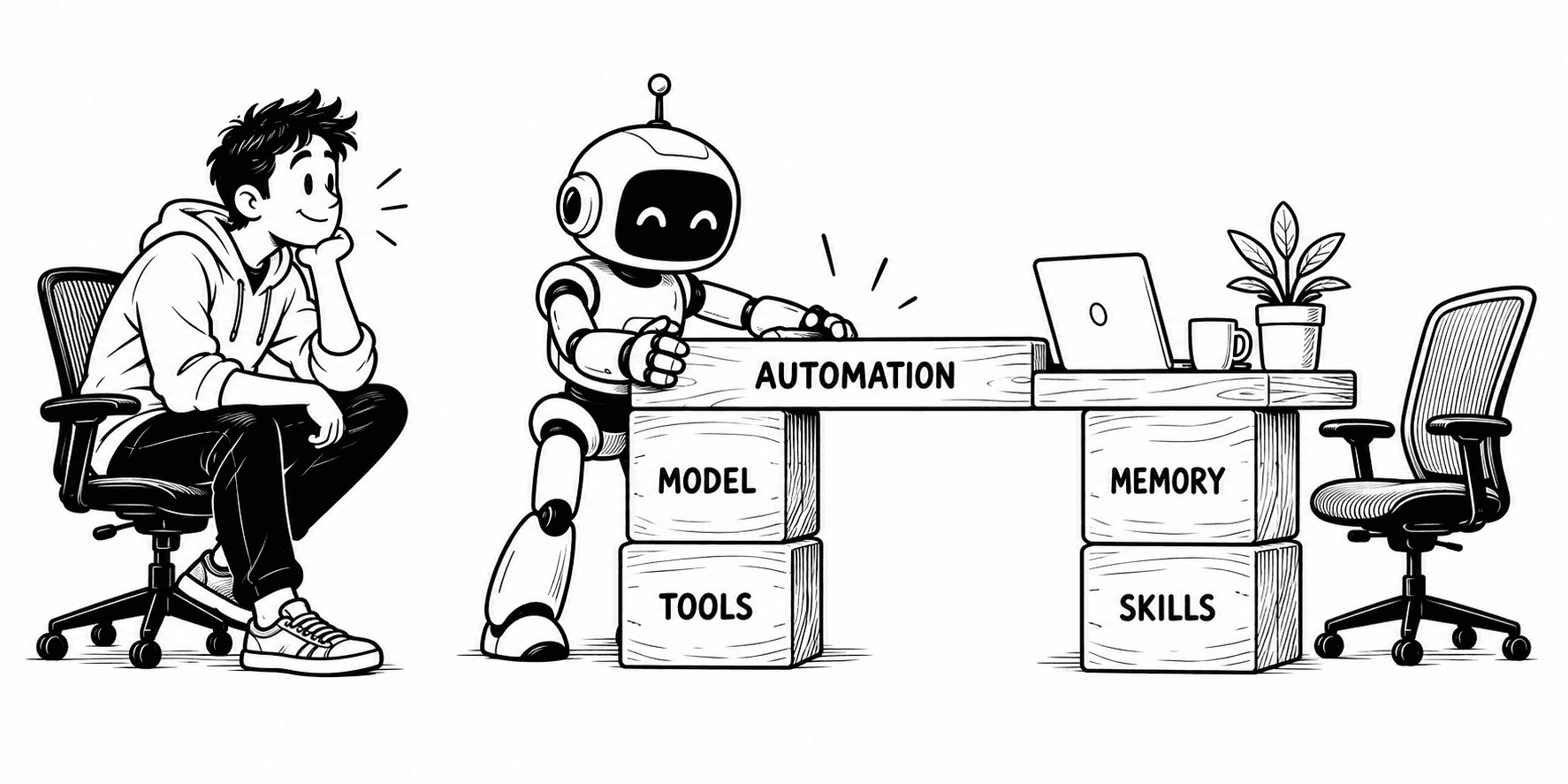
Model + tools + memory + skills + automation = Hermes Agent
Hermes is not magic dust sprinkled over a prompt. It gives the model equipment and continuity, but you still decide which tools and folders are in reach, what should persist, and whether a job may run unsupervised.
Hermes Is Not the Brain
The easiest mistake is to treat Hermes as one particular AI model or LLM. It is not.
The LLM is the engine. Hermes is the car built around it.
The model reasons and writes; Hermes adds steering, storage, controls, tools, and rules for operating in the world. You can choose among supported providers or configure a custom endpoint, so the engine is replaceable. The provider guide documents those choices, including self-hosted endpoints.
Swap the engine and the car still supplies the controls.

From Answering to Acting
Ask a chatbot how to reconcile a month of expenses and it may give you achecklist.
Give an agent appropriate tools and permission, and it can read the receipts, match them against transactions, flag a missing invoice, update the expense sheet, and verify that the totals balance.
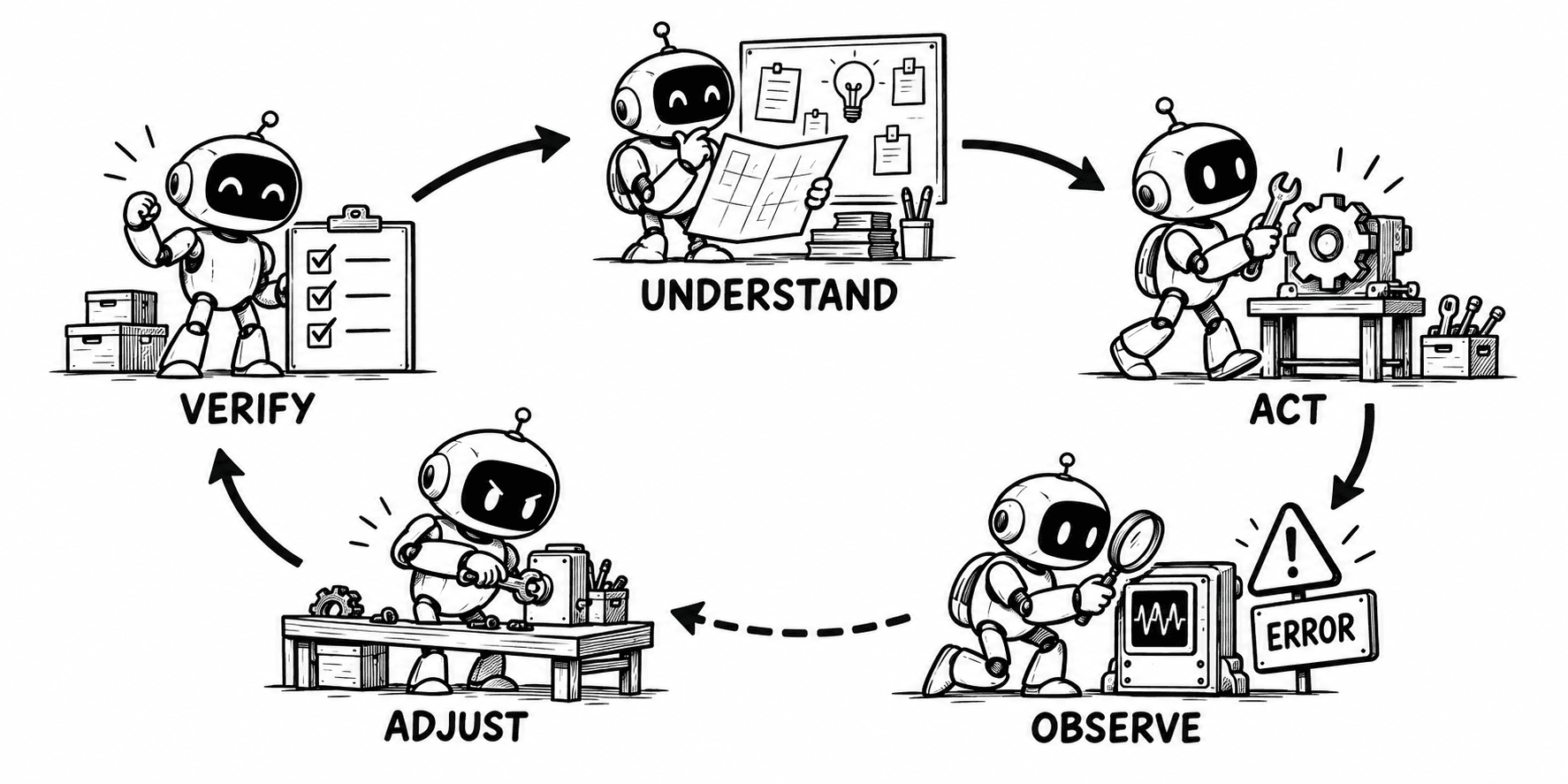
That is the agent loop:
Understand → Act → Observe → Adjust → Verify. Then return to Understand.
The loop matters more than any individual tool. Hermes need not predict the solution in one heroic burst. A discrepancy becomes new evidence and changes the next action. Less fortune-teller, more patient mechanic.
That iteration is useful, but it can require more time and model calls than a single chat response.
What Can Hermes Actually Do?
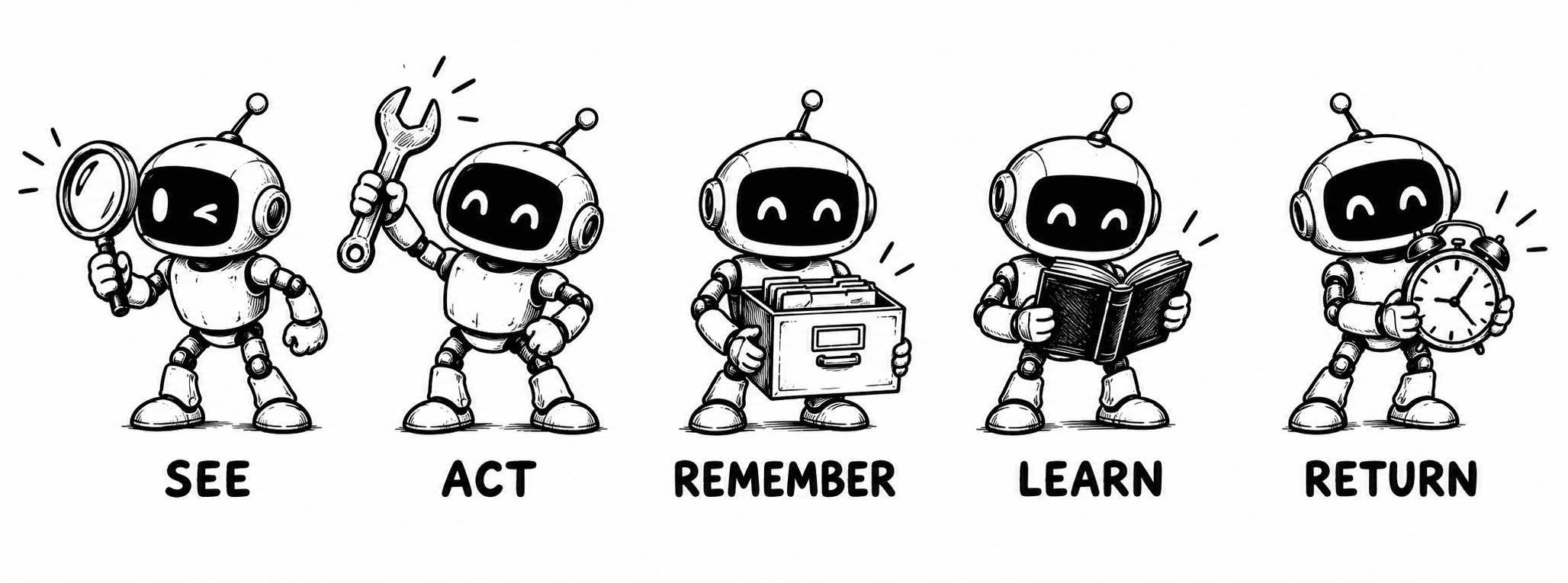
Long feature lists may bore you and may feel like appliance manuals. So, here are five verbs which are easier to understand.
See: read files, project context, URLs, repositories, and browser content.
Act: use terminal, filesystem, browser, media, and other enabled tools.
Remember: preserve curated facts about you, your environment, and your projects across sessions.
Learn: load reusable skills that describe how to perform a kind of work.
Return later: run scheduled tasks and deliver results through supported channels.
What Hermes can do depends on the tools and access you give it. If it can access email, it can help with email. If it can only browse the web, it can only work with information from the web.
Tools and MCP: Hands and Attachments
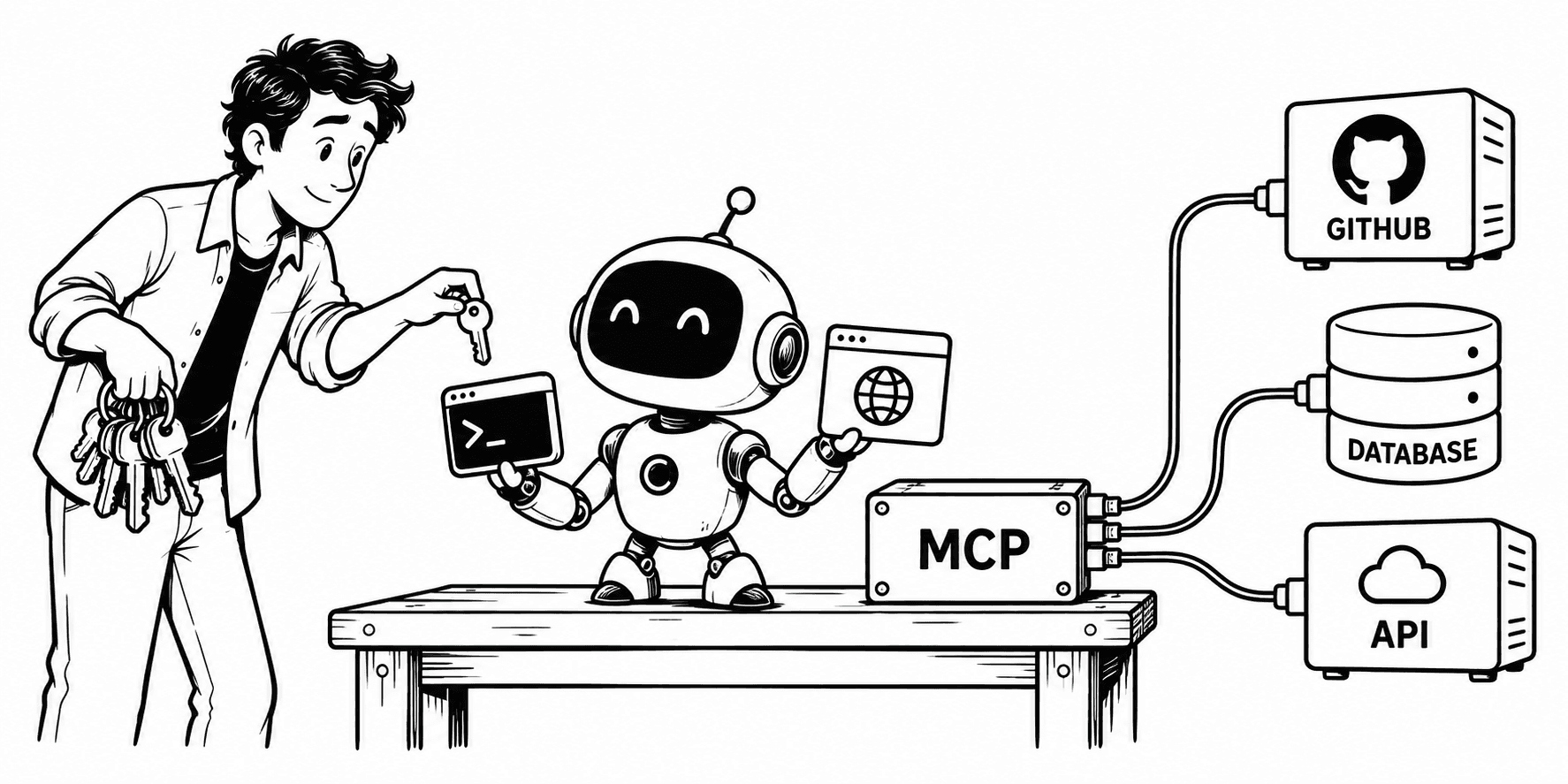
Intelligence becomes operational when it can touch something. Hermes ships with toolsets for web search, browser automation, terminal execution, file editing, memory, delegation, scheduling, and more; the tools reference is the current inventory.
The model supplies intelligence. Tools give that intelligence hands.
MCP extends the idea. Hermes can connect to MCP servers and expose their tools to the agent. If built-in tools sit on the desk, MCP is the adapter for outside equipment—perhaps GitHub, a database, or an internal service. It is not extra intelligence. It is extra reach. It is through MCP that hermes can access external services.
Memory and Skills: Knowledge Versus Procedure
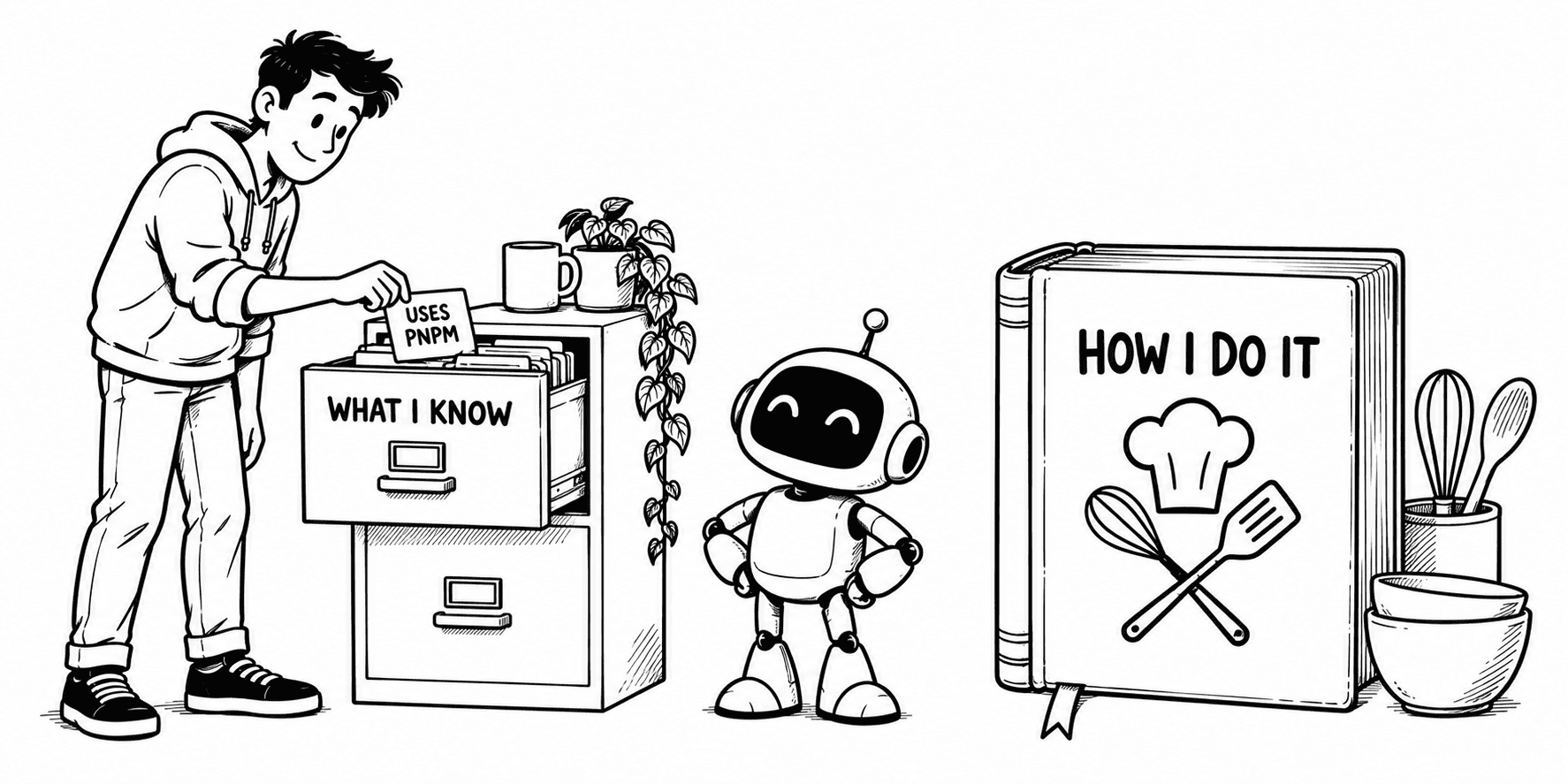
Memory and skills sound similar until you imagine a kitchen.
Memory says, “George prefers less sugar.”
A skill says, “Here is how to bake the cake.” One stores a useful fact; the other stores a procedure.
Hermes has bounded persistent memory for preferences, projects, environment details, and learned information. It also discovers context files such as AGENTS.md, CLAUDE.md, and .hermes.md.
Skills on the other hand are on-demand instructions. Hermes loads them when relevant instead of cramming them into every conversation like an overpacked suitcase. Both are outlined in the feature overview.
The distinction is practical: memory gives continuity, while skills make recurring work consistent.
Neither should become an attic. Save a memory when the fact will matter again; create a skill when the procedure is worth repeating. Selective context provides continuity without unpacking your entire professional history for every task.
Running Hermes: Local or Hosted
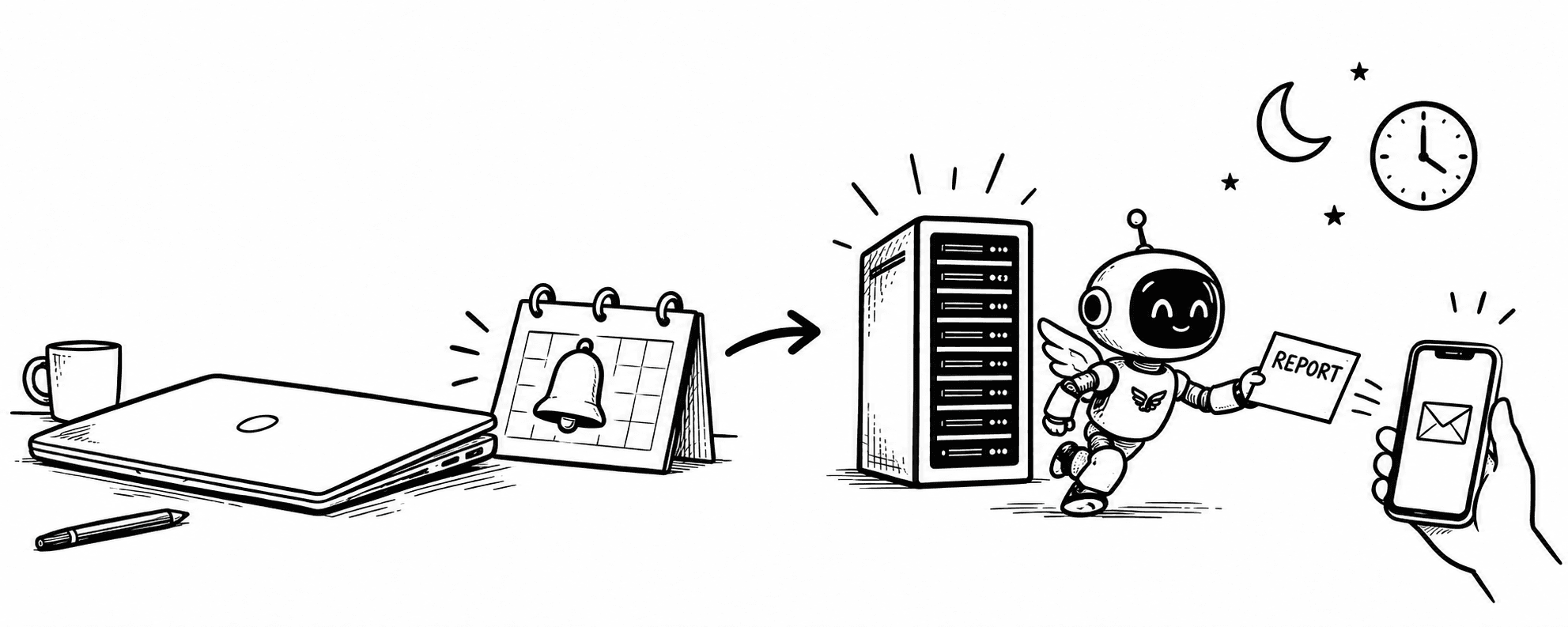
Hermes needs somewhere to live. Run it locally on your computer when you want to use it while you are there. It stays close to your files and under your direct control, but when the computer is off, Hermes is off too.
Host Hermes on an always-on computer or cloud server when you want it available all day. This is the better fit for scheduled tasks, messages, and work that should continue after you close your laptop. Local Hermes is an assistant at your desk; hosted Hermes is an assistant with its own office.
This choice only decides where Hermes runs.
But, you can also choose where the LLM runs. The LLM can run locally or come from a hosted provider.
Three Ways This Looks in Real Life
1. The Developer
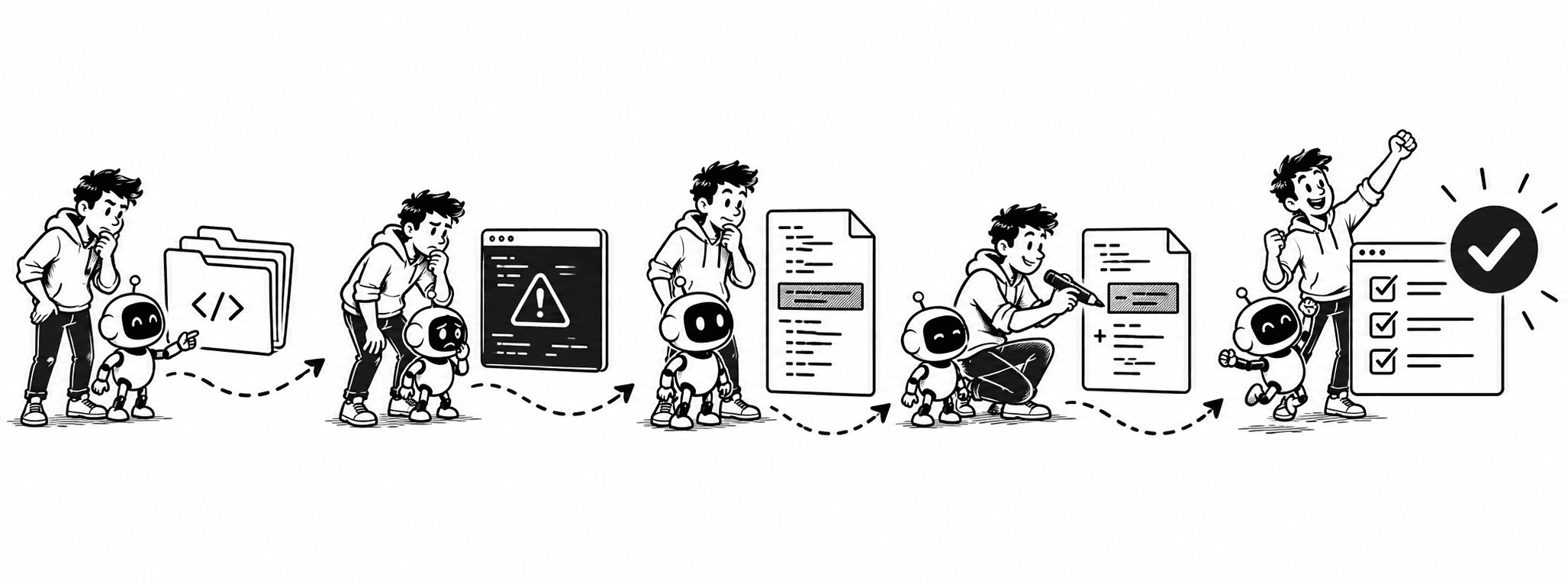
You ask Hermes to investigate a failing application. It reads the repository, runs the build, follows the error into the source, changes the relevant code, and verifies the result. The value is not that it knows one secret command. The value is that it can carry evidence from one step into the next.
2. The Researcher
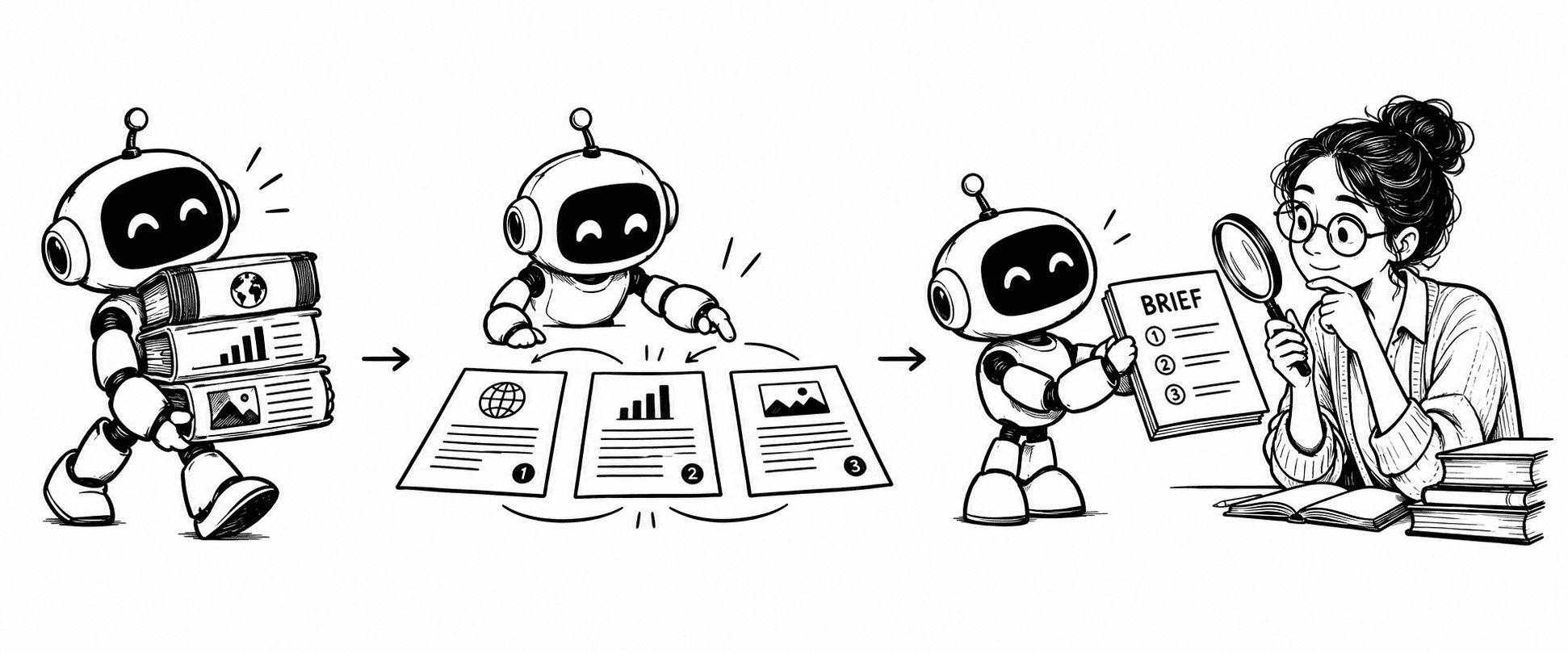
You ask for a brief on a recent change. Hermes searches, opens sources, extracts relevant details, compares them, and drafts a report. You still review both the sources it found and the conclusions it drew.
3. The Automated Assistant
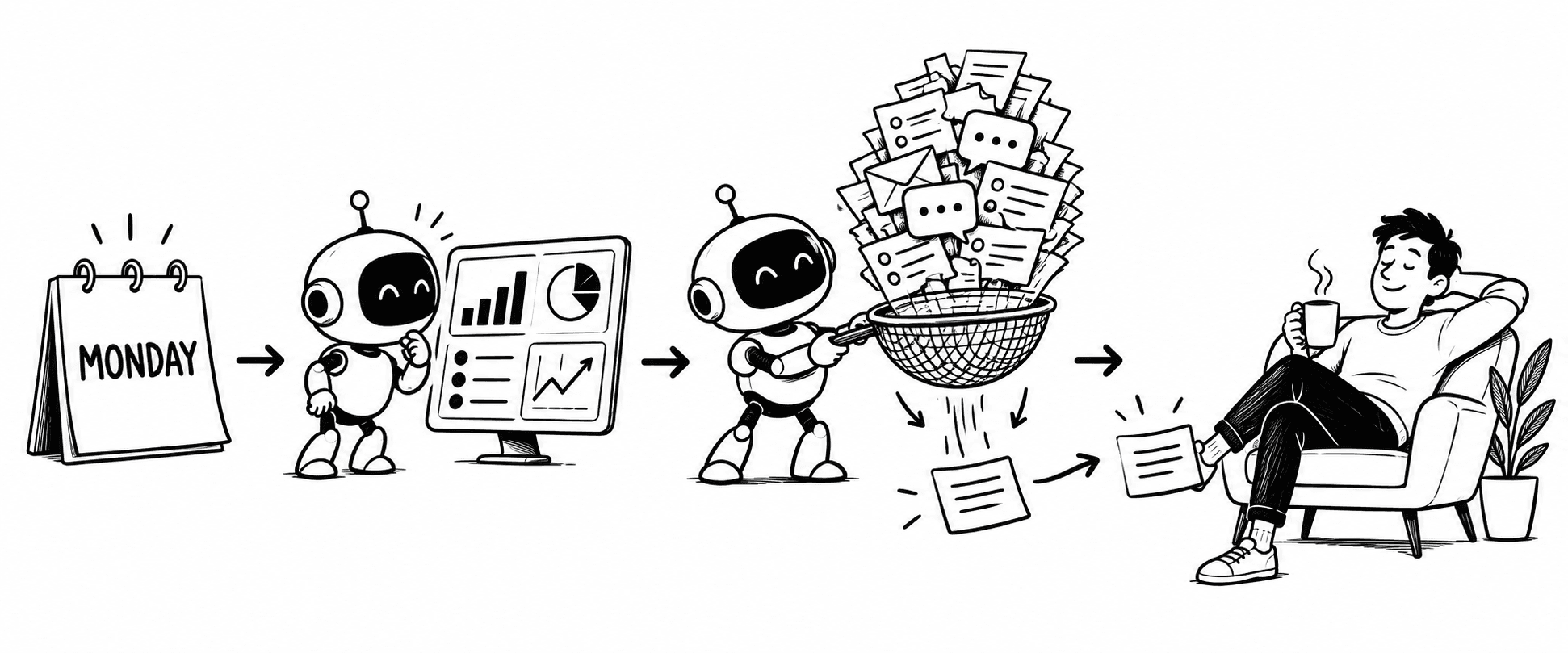
You define a weekly check and delivery destination. On schedule, Hermes collects the information, evaluates what changed, and sends a concise result. Here persistence becomes more than remembering a package manager. The clock, not the chat box, starts the work.
How Do You Use Hermes?
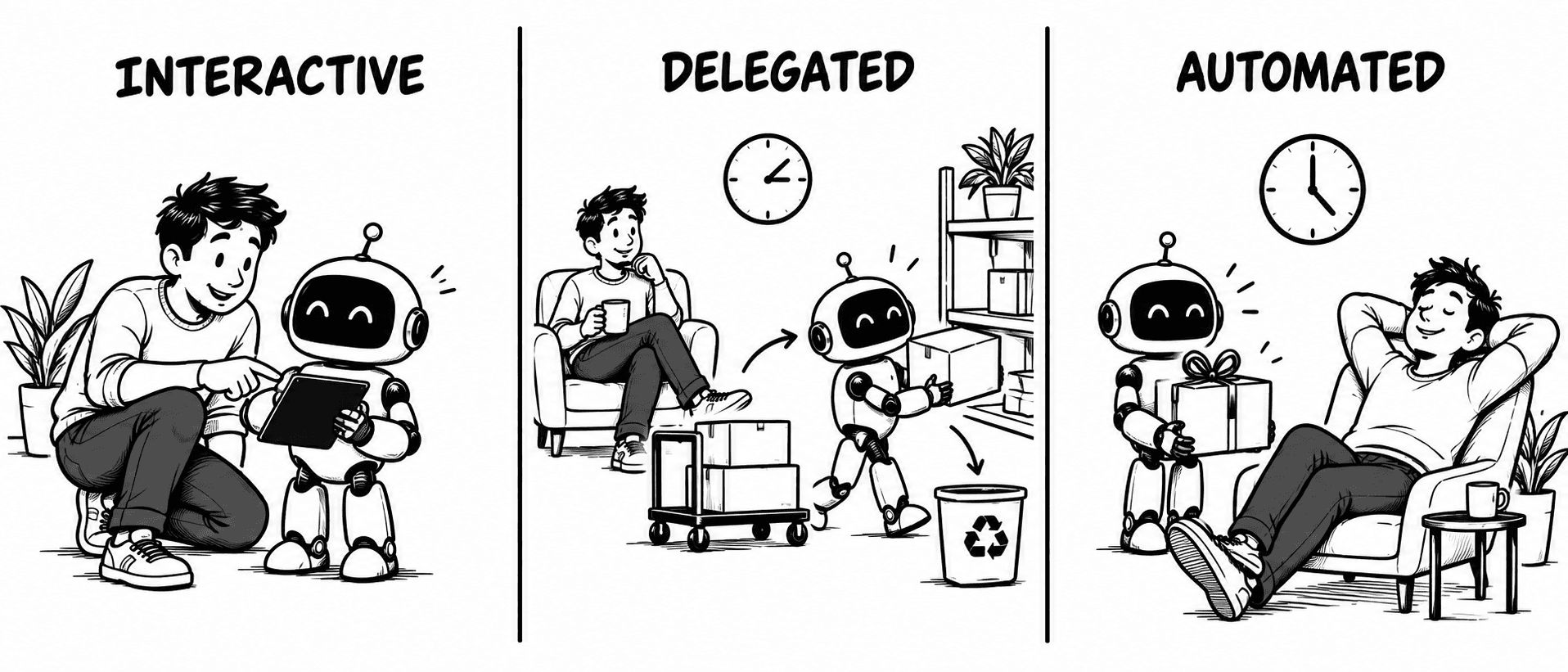
You can use Hermes in three modes.
Interactive: you ask, watch, and guide—the sensible start when the task or permissions are unfamiliar.
Delegated: you provide an outcome, Hermes performs several tool calls, and you review the result rather than steering every turn.
Automated: you define work for later. Because you are absent, the task needs narrow permissions, clear success conditions, and useful failure reporting.
Move through those modes in order. Earn trust under supervision before handing over the whole workflow.
How Do You Install Hermes Agent?
Installation is the least timeless part, so the commands belong in the documentation, where they can age gracefully. The official quickstart currently recommends the Hermes Desktop installer for macOS or Windows and provides command-line installation paths for Linux, macOS, WSL2, Android via Termux, and native Windows.
After installation, you choose a model provider and configure the tools you want available.
What Hermes Is Good At—and What It Is Not
Good at
- Multi-step work: inspect, act, review, and verify.
- Tasks that need tools, files, browsers, or terminal access.
- Repeated workflows that benefit from memory, skills, or automation.
- Producing inspectable results, such as tested patches or sourced reports.
Not good at
- Simple questions that only need a quick answer.
- Vague tasks without a clear finish line.
- High-risk work without supervision or narrow permissions.
FAQ
Is Hermes Agent free?
The software is free to use, but model providers, hosting, and optional services may charge. “Free agent” and “free operation” are different sentences.
Is Hermes Agent open source?
Yes. Hermes is released under the MIT License; its source is available in the official GitHub repository.
Can Hermes run local models?
Yes. Hermes can run open models on your machine and connect to custom, self-hosted endpoints. Your hardware and chosen model still determine whether the experience is swift or contemplative.
Does Hermes need an API key?
It depends on the provider. Many hosted providers use API keys, others support OAuth, and some hosted or local endpoints require no key. Check the provider documentation for the path you choose.
Where can Hermes run?
It can run on a supported local computer for interactive work or on an always-on machine for scheduled and messaging workflows. The right host follows the job.
How do I update Hermes?
The CLI provides hermes update; hermes update --check checks for an update without installing it. See the CLI command reference for current behavior and options.
How do I uninstall Hermes?
Use hermes uninstall. Optional flags can remove only the desktop GUI, preview the operation, or delete configuration and data as well. Read the CLI reference before choosing the full-removal option; enthusiasm is not a backup strategy.
Conclusion: The Useful Shift
Hermes becomes useful when a task needs more than an answer. It can inspect the situation, use tools, learn from what happens, and keep working until there is something concrete for you to review.
Clear goal
Define what finished work should look like.
Sensible access
Provide only the tools and permissions the task needs.
Verifiable result
Review the evidence, not merely the confidence.
That does not make Hermes an infallible digital assistant. It makes it a capable assistant with a longer reach—provided you give it a clear goal, sensible permissions, and a result you can verify.