

Hemant Bhatt
The Next.js Layouts Handbook
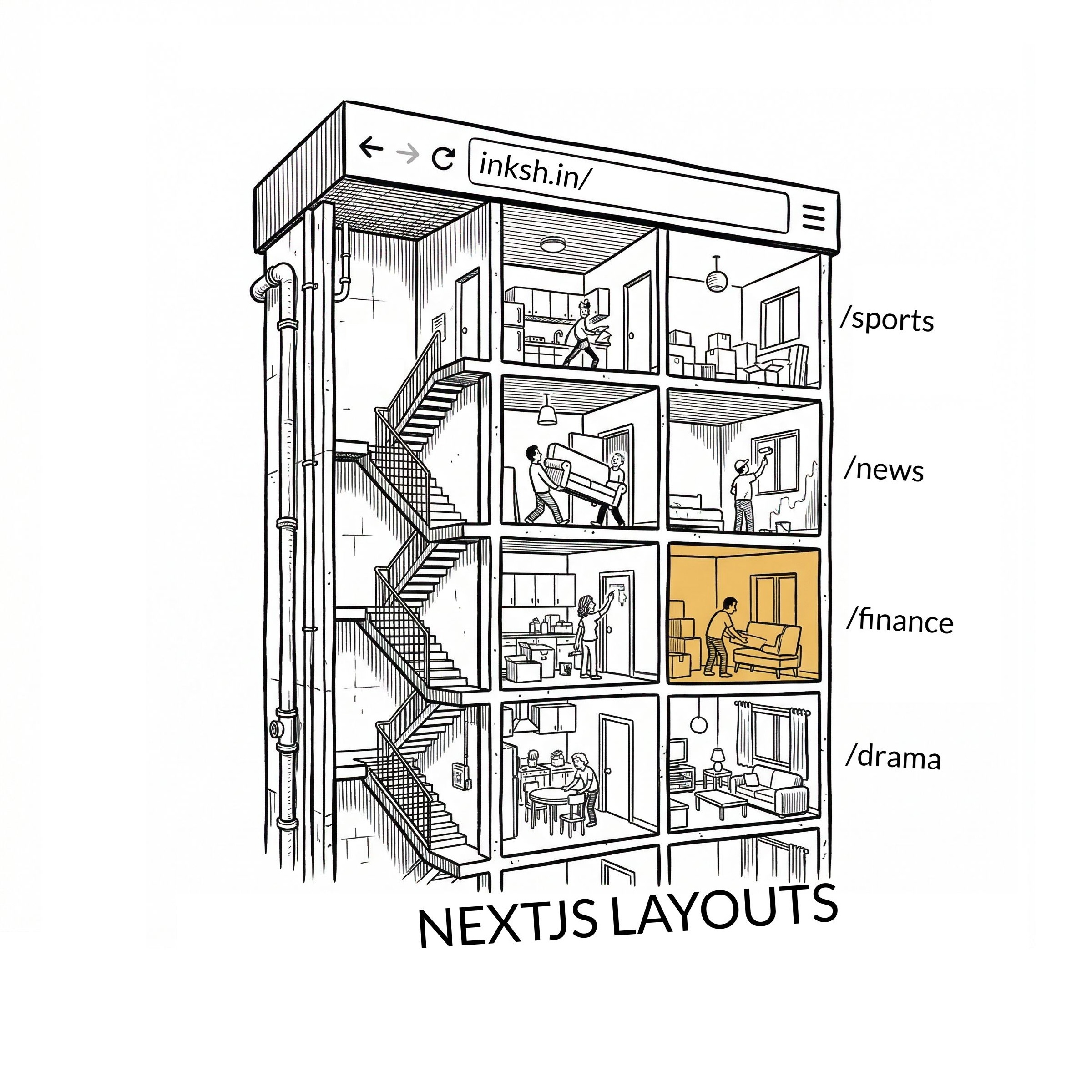
You click a link and half the page stays exactly the same. The sidebar doesn't flinch. The nav bar doesn't even blink. Is that laziness or intentional?
It's layouts. Think of your app like an apartment building. The layout is the load-bearing structure—walls, plumbing, that one elevator that's always broken. Pages are the tenants. They move in, move out, redecorate with questionable taste.
But the building?
The building stays put. Nobody demolishes the lobby because someone on the third floor changed their curtains.
The Core Idea:
Layouts wrap your pages, persist across navigations, and never rerender unless you tell them to.What Is a Layout?
A layout is shared UI that wraps multiple pages. Export a default React component from a layout.tsx file, accept a children prop, and you're done.
1 export default function RootLayout({ 2 children, 3 }: { 4 children: React.ReactNode; 5 }) { 6 return ( 7 <html lang="en"> 8 <body> 9 <nav className="flex items-center gap-6 p-4 border-b"> 10 <a href="/" className="font-bold text-lg">My App</a> 11 <a href="/about">About</a> 12 <a href="/blog">Blog</a> 13 <a href="/contact">Contact</a> 14 </nav> 15 <main>{children}</main> 16 </body> 17 </html> 18 ); 19 }
So What Exactly Is {children}?
That children prop isn't some abstract React concept here—it's literally the page. When a user hits /about, Next.js grabs app/about/page.tsx and injects it as children. Navigate to /contact? Now children becomes app/contact/page.tsx. The layout doesn't know or care which page it's rendering—it just renders whatever shows up in that slot.
Everything outside {children}—the nav, the footer, that sidebar you spent three hours aligning—stays completely untouched. Zero rerenders. It's like swapping slides in a projector. The projector doesn't rebuild itself every time you click "next."
The Root Layout
Every Next.js app needs exactly one root layout. It lives at app/layout.tsx and it's the only layout that must include <html> and <body> tags.
1 // app/layout.tsx 2 import type { Metadata } from "next"; 3 4 export const metadata: Metadata = { 5 title: "My App", 6 description: "A Next.js application", 7 }; 8 9 export default function RootLayout({ 10 children, 11 }: { 12 children: React.ReactNode; 13 }) { 14 return ( 15 <html lang="en"> 16 <body>{children}</body> 17 </html> 18 ); 19 }
Two Rules:
- •Don't manually add <head>, <title>, or <meta> tags. Use the Metadata API instead.
- •The root layout is a Server Component by default. You can make it a Client Component, but you probably shouldn't.
Why the Metadata API?
If you drop a raw <title> tag inside your layout, you're on your own. Duplicate tags across nested layouts? Your problem. Merging metadata from a page and its parent? Also your problem. The Metadata API handles all of this—deduplication, merging, and generating the correct <head> output—automatically. It also streams metadata during SSR, so search engine crawlers and social media previews get the right tags without waiting for client-side JavaScript.
1 // ✅ Let Next.js handle it 2 export const metadata: Metadata = { 3 title: "My Blog", 4 description: "Thoughts on code and coffee", 5 openGraph: { title: "My Blog", type: "website" }, 6 }; 7 8 // ❌ Don't do this manually 9 export default function Layout({ children }) { 10 return ( 11 <html> 12 <head> 13 <title>My Blog</title> {/* Will break with nested layouts */} 14 <meta name="description" content="..." /> 15 </head> 16 <body>{children}</body> 17 </html> 18 ); 19 }
What If You Make the Root Layout a Client Component?
Slap "use client" on your root layout and here's what you're signing up for:
- •No more Metadata API. The metadata export only works in Server Components. You'd have to manage <head> tags manually—the exact thing we just said not to do.
- •Bigger JavaScript bundle. The entire root layout and everything it imports gets shipped to the browser. That's your nav, your footer, your providers—all of it now lives in client JS instead of being rendered on the server and sent as HTML.
- •No async data fetching. Client Components can't be async. Need to fetch something in your layout? You'll need useEffect and loading states instead of just awaiting it on the server.
- •Server Components can't nest inside it. Every child component in the import tree becomes a Client Component too—unless you pass them as children or via slots. The client boundary cascades downward.
TL;DR: keep the root layout as a Server Component. If you need interactivity (a theme toggle, a mobile menu), extract those into small Client Components and import them. Don't "use client" the entire root—that's like renting a helicopter to cross the street.
Nested Layouts
Any route segment can have its own layout, and they nest automatically. Like Russian dolls—each one wraps the next.
The Folder Structure
app/
├── layout.tsx            ← Root layout (nav bar)
└── news/
    ├── layout.tsx        ← News layout (category tabs)
    ├── page.tsx          ← News index
    ├── sports/
    │   ├── layout.tsx    ← Sports layout (🏏 cricket bat sidebar)
    │   └── page.tsx
    └── global/
        ├── layout.tsx    ← Global layout (🌍 globe + country flags sidebar)
        └── page.tsx
Each category gets its own layout with its own personality:
1 // app/news/sports/layout.tsx 2 export default function SportsLayout({ 3 children, 4 }: { 5 children: React.ReactNode; 6 }) { 7 return ( 8 <div className="flex"> 9 <aside className="w-64 p-4"> 10 <div className="text-4xl mb-4">🏏</div> 11 <ul> 12 <li>Cricket</li> 13 <li>Football</li> 14 <li>Tennis</li> 15 </ul> 16 </aside> 17 <main className="flex-1">{children}</main> 18 </div> 19 ); 20 }
1 // app/news/global/layout.tsx 2 export default function GlobalLayout({ 3 children, 4 }: { 5 children: React.ReactNode; 6 }) { 7 return ( 8 <div className="flex"> 9 <aside className="w-64 p-4"> 10 <div className="text-4xl mb-4">🌍</div> 11 <ul> 12 <li>🇺🇸 Americas</li> 13 <li>🇪🇺 Europe</li> 14 <li>🇮🇳 Asia</li> 15 </ul> 16 </aside> 17 <main className="flex-1">{children}</main> 18 </div> 19 ); 20 }
The Nesting Order
Root Layout (nav bar)
  └── News Layout (category tabs)
        └── Sports Layout (🏏 sidebar)
              └── Page (actual article)
Navigate from /news/sports to /news/global? The root layout stays. The news layout stays. Only the category layout and page swap—cricket bat out, globe in.
Multi-Level Nesting
You can nest as deep as your folder structure goes. Let's extend the news app—sports now has sub-categories, each with their own layout.
app/
├── layout.tsx                    ← Root (nav bar)
└── news/
    ├── layout.tsx                ← News (category tabs)
    └── sports/
        ├── layout.tsx            ← Sports (🏏 sidebar)
        └── cricket/
            ├── layout.tsx        ← Cricket (match ticker + series nav)
            └── [matchId]/
                └── page.tsx      ← Live scorecard
A request to /news/sports/cricket/ind-vs-aus activates four layouts simultaneously:
Root Layout         → nav bar, footer
  └── News Layout     → category tabs (Sports | Global | Tech)
      └── Sports Layout  → 🏏 sport picker sidebar
          └── Cricket Layout → live ticker + series navigation
              └── Page        → IND vs AUS scorecard
Now the user clicks from /news/sports/cricket/ind-vs-aus to /news/sports/cricket/eng-vs-nz. Four layouts stay mounted. Only the scorecard page swaps. The live ticker keeps ticking. The sidebar doesn't blink. That's four layers of UI surviving a navigation—for free.
Dynamic Segment Layouts
That [matchId] folder from the cricket example? Drop a layout.tsx inside it and now every match—ind-vs-aus, eng-vs-nz, whatever slug lands there—gets the same wrapper with tabbed sub-pages.
app/news/sports/cricket/[matchId]/
├── layout.tsx        ← Shared match layout (score header + tabs)
├── page.tsx          ← /news/sports/cricket/ind-vs-aus  (default: live score)
├── comments/
│   └── page.tsx      ← /news/sports/cricket/ind-vs-aus/comments
└── predictions/
└── page.tsx ← /news/sports/cricket/ind-vs-aus/predictions1 // app/news/sports/cricket/[matchId]/layout.tsx 2 export default async function MatchLayout({ 3 children, 4 params, 5 }: { 6 children: React.ReactNode; 7 params: Promise<{ matchId: string }>; 8 }) { 9 const { matchId } = await params; 10 11 return ( 12 <div> 13 <header className="border-b pb-4 mb-4"> 14 <h1 className="text-2xl font-bold uppercase">{matchId}</h1> 15 <nav className="flex gap-4 mt-2"> 16 <a href={`/news/sports/cricket/${matchId}`}>Live Score</a> 17 <a href={`/news/sports/cricket/${matchId}/comments`}>Comments</a> 18 <a href={`/news/sports/cricket/${matchId}/predictions`}>Predictions</a> 19 </nav> 20 </header> 21 {children} 22 </div> 23 ); 24 }
What's happening:
The layout reads matchId from params and builds a match header with navigation tabs. Click from Live Score to Comments to Predictions—the score header and tabs stay put. Only the tab content swaps. Same layout, any match ID.Layout vs. Template
Next.js gives you two wrappers: layouts and templates. They look identical in code but behave very differently.
layout.tsx
- •Persists across navigations
- •State survives
- •Effects don't rerun
- •Component stays mounted
template.tsx
- •Remounts on every navigation
- •Fresh state every time
- •Effects rerun
- •New component instance
1 // app/blog/template.tsx 2 "use client"; 3 4 import { useEffect } from "react"; 5 6 export default function BlogTemplate({ 7 children, 8 }: { 9 children: React.ReactNode; 10 }) { 11 useEffect(() => { 12 // This runs on EVERY navigation to any /blog/* page 13 console.log("Page view logged"); 14 }, []); 15 16 return <div>{children}</div>; 17 }
When to Pick Each
Need the UI to persist between navigations?
Layout
Need shared state that survives across child pages?
Layout
Need a sidebar or nav that never rerenders?
Layout
Need enter/exit animations on every page change?
Template
Need to log page views or run effects on every navigation?
Template
Need each child page to start with a clean slate?
Template
The default answer is layout. You'll use templates maybe 5% of the time—for analytics logging, page transition animations, or resetting form state between routes.
Common Pitfalls
Layouts have strong opinions. Fight them and you lose. Here's where most people trip up.
Pitfall #1: Accessing searchParams in a Layout
Problem:
1 // app/blog/layout.tsx 2 // ❌ Layouts don't receive searchParams 3 export default function BlogLayout({ searchParams }) { 4 const page = searchParams.page; // Won't work 5 }
Solution:
Layouts don't rerender on navigation—so search params would go stale. Read them in the page component, or use useSearchParams() in a Client Component.
Pitfall #2: Trying to Read pathname
Problem:
You want to highlight the active nav link in your layout, but layouts can't access the current pathname directly.
Solution:
Extract a small Client Component and use usePathname() inside it. Import that component into your layout—the layout stays a Server Component, and only the tiny nav link knows about the current path.
1 // app/components/NavLink.tsx 2 "use client"; 3 4 import { usePathname } from "next/navigation"; 5 6 export function NavLink({ href, label }: { href: string; label: string }) { 7 const pathname = usePathname(); 8 9 return ( 10 <a href={href} className={pathname === href ? "font-bold" : ""}> 11 {label} 12 </a> 13 ); 14 }
Pitfall #3: Passing Data to Children
Problem:
You fetch data in a layout and want to pass it down to the page as a prop. The children prop is opaque—you can't inject props into it.
Solution:
Fetch the same data in both the layout and the page. React and Next.js automatically deduplicate identical fetch requests.
Pitfall #4: Layout Data Fetching Blocks Navigation
Problem:
Your layout fetches slow data, and loading.tsx doesn't kick in.
Solution:
loading.tsx wraps the page, not the layout. It sits below layout.tsx in the component tree. Keep layout data fetching fast, or move heavy fetching into the page where loading.tsx can cover it.
Pitfall #5: Multiple Root Layouts = Full Reloads
Problem:
You create separate root layouts for different sections (e.g., marketing site vs. dashboard). Navigating between them triggers a full page reload.
Solution:
This is by design—there's no shared parent to preserve. Only use multiple root layouts when the sections are truly independent. If you need smooth transitions, use a single root layout with nested layouts for each section.
Conclusion
- Layouts are shared UI that persists across navigations—no rerender, no state loss.
- Root layout is required and must contain <html> and <body> tags.
- Nested layouts compose automatically through the folder hierarchy—each segment can define its own.
- Templates are the opposite—they remount on every navigation. Use them for animations and analytics.
- Don't fight the model. Layouts can't access searchParams, pathname, or pass data to children. Use the escape hatches Next.js gives you.